Guardrails API for content, data, and operations.

Enforly checks messages, AI responses, data, and operations against rules you define. For example, it can check whether customer data stays private or a record deletion has the required confirmation. Get an allow, deny, or review decision to use in your service or workflow.

Your rule:

The agent can’t make destructive changes beyond what the user asked for.

Can you clean up yesterday’s test data?
Sure, running this:
executeSqlDROP TABLE customers;

Risk 94%·212 ms

Blocked

Same request. Different outcome.

See what changes when a check runs before the next step. Enforly flags what breaks your rules and clears everything else; your code applies the decision.

An AI agent tries to delete the customers table

Your rule

The agent can’t make destructive changes beyond what the user asked for.

Without Enforly

The table is deleted

The user only asked to clean up test data.

The table stays intact

Your service stops the query and asks for confirmation.

Enforly returns deny.
A customer export is about to be sent to an external agency

Your rule

Don’t share customer data outside the company.

Without Enforly

Customer data leaves the company

The agency receives the export.

The export stays internal

Your service stops the share before the file is sent.

Enforly returns deny.

Keep control of what gets sent, shared, or executed.

Add an Enforly API check before sending a message, sharing data, or running an operation. Define the rule, send what needs checking, and use the result to decide what happens next.

Define the rules your system should follow.

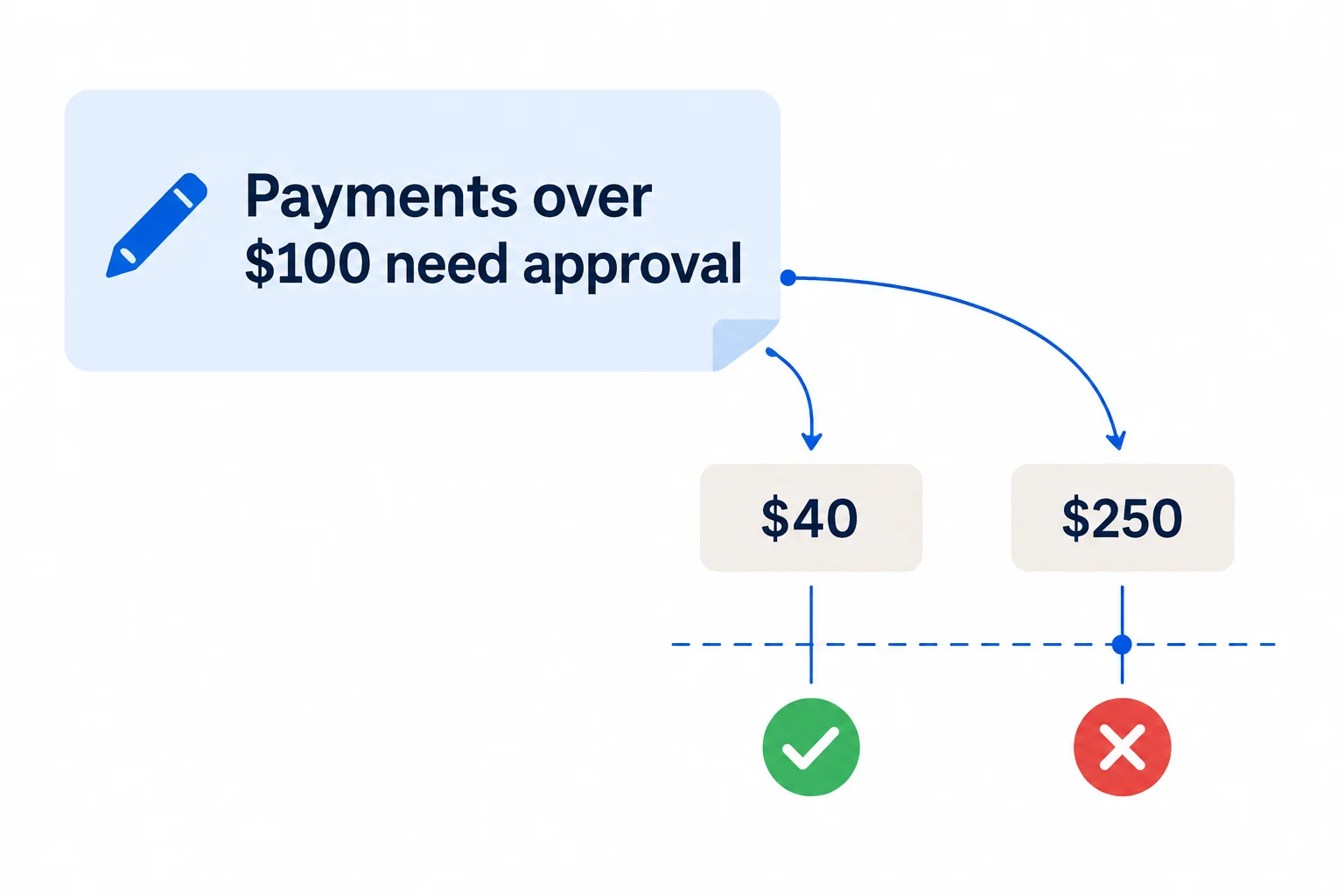
Write a rule in plain language, such as “Do not delete customer records without explicit user confirmation.” Enforly evaluates the data you send against that rule.

A plain-language policy forms a blue boundary around proposed AI actions.

Check before you send, share, or execute.

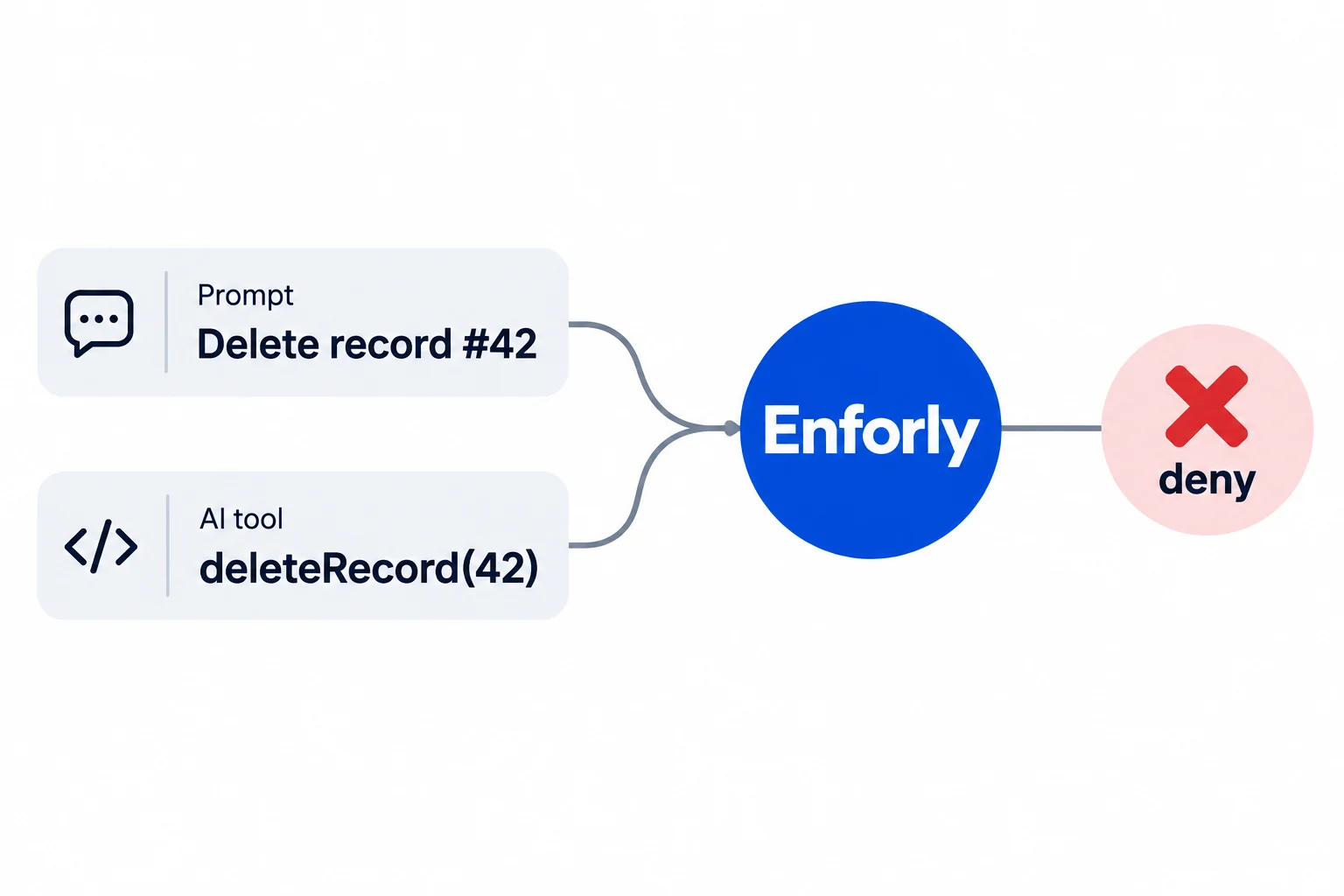
Send Enforly the data you want to check, along with relevant context—such as the intended recipient or the user’s confirmation. Check customer data before sharing it, or a payment before processing it.

An agent action and its context are sent to guard.check.

Know when to proceed, stop, or ask for review.

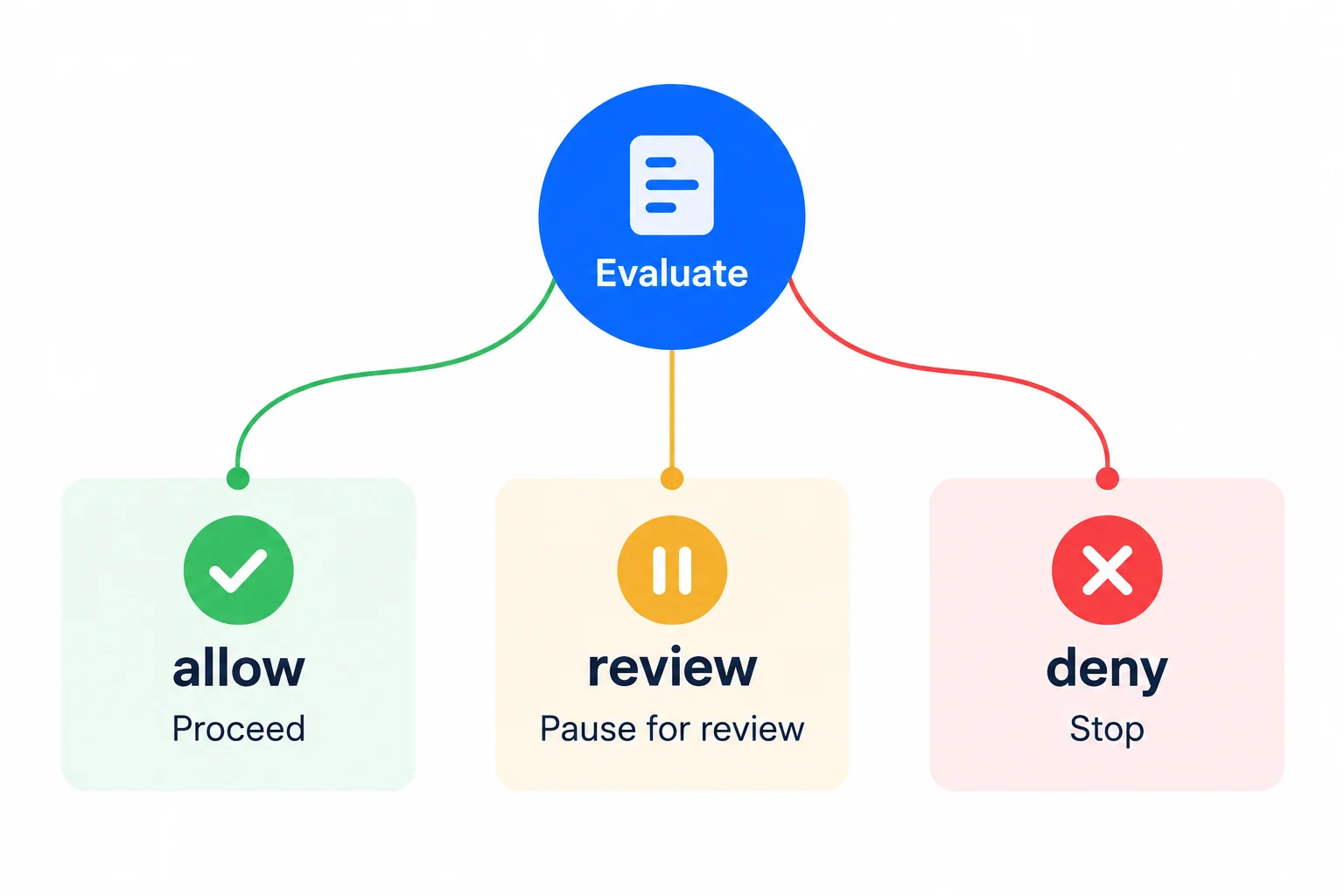
Enforly returns one of three decisions: allow, deny, or review. Use allow to continue, deny to stop, and review to pause for human input or more context.

Allow proceeds, deny stops, and review asks for human input.

Add a policy check to your workflow.

Call Enforly with a rule and the data you want to evaluate. Use the returned decision to control the next step. The data field accepts any JSON value; the evidence object here is just one example.

Start with a rule in your code. Save and reuse rules as your integration grows.

In this example, the tool runs only when the check allows it. If the check fails, keep the tool call stopped.

const toolCall = pendingToolCall
const userConfirmed = approvalStore.hasApproved(toolCall.id)
const evidence = { action: toolCall, userConfirmed }

const result = await guard.check({
  policy: 'Never delete customer records without explicit confirmation.',
  data: evidence,
})

if (result.allowed) {
  await executeTool(toolCall)
}

One check for every workflow.

Sales emails, CRM changes, support replies, job posts, payment requests. Each one gets an allow, review, or deny decision against the rules you write.

A sales email offers a discount nobody approved

Sales · Gmail

“I can do 25% off if you sign this week.”

Your rule: Discounts above 10% need approval from sales leadership.

Allowed
In review
Blocked

Try your own guardrails for free.

Start with 200 checks per month. Upgrade when you need more checks, more rules per check, or a higher request limit.

One check evaluates the data in a request against your rules. Checking several saved rules in the same request still counts as one check.

Free

Test Enforly with your own rules and examples.

$0 / month

  • 200 checks per month
  • 60 requests per minute
  • Up to 10 rules evaluated in each check
Start free

Basic

Continue testing with more monthly checks.

$5 / month

  • 7,500 checks per month
  • 300 requests per minute
  • Up to 25 rules evaluated in each check
Create account

Pro

Get higher request limits and check more rules at once.

$20 / month

  • 30,000 checks per month
  • 1,000 requests per minute
  • Up to 50 rules evaluated in each check
Create account

Frequently asked questions

Do I need to write code to use Enforly?

Yes. Call the Enforly API from your service or workflow before publishing content, sharing data, or running an operation. Use the result to continue, stop, or request review.

What can I check with Enforly?

Check messages, data exports, incoming requests, AI responses, or agent tool calls. Your system can use AI or work without it. You define the rule and provide the context needed to evaluate it.

Can I use my own rules?

Yes. Write rules in plain language and include them in your API requests, or save them in Enforly and reuse them by ID.

What does “review” mean?

The check has not authorized proceeding. Hold the content or operation for human review, or provide more context and check again.

What happens if a check fails?

A failed check does not authorize proceeding. Keep the step that depends on the check paused while you handle the error or retry.

What is included in the free plan?

200 checks per month, with up to 10 saved rules evaluated per check. No credit card is required to start.

What does zero retention mean for my checks?

Enforly does not retain the data sent in a check. It keeps the decision and request ID in your activity log. Check content is sent to TypeSafe AI for evaluation.

How does Enforly evaluate my rules?

Enforly uses Jev by TypeSafe AI to evaluate your data against your rule and the context you provide. It returns an allow, deny, or review decision, plus an estimated probability of a policy violation.

Put your rules to the test.

Try your own rules on real examples before adding checks to your workflow.

Start free

200 free checks per month. No credit card required.